New in v0.9 Now live: 203,540 images from the Smithsonian's Open Access release

Every image in one space.

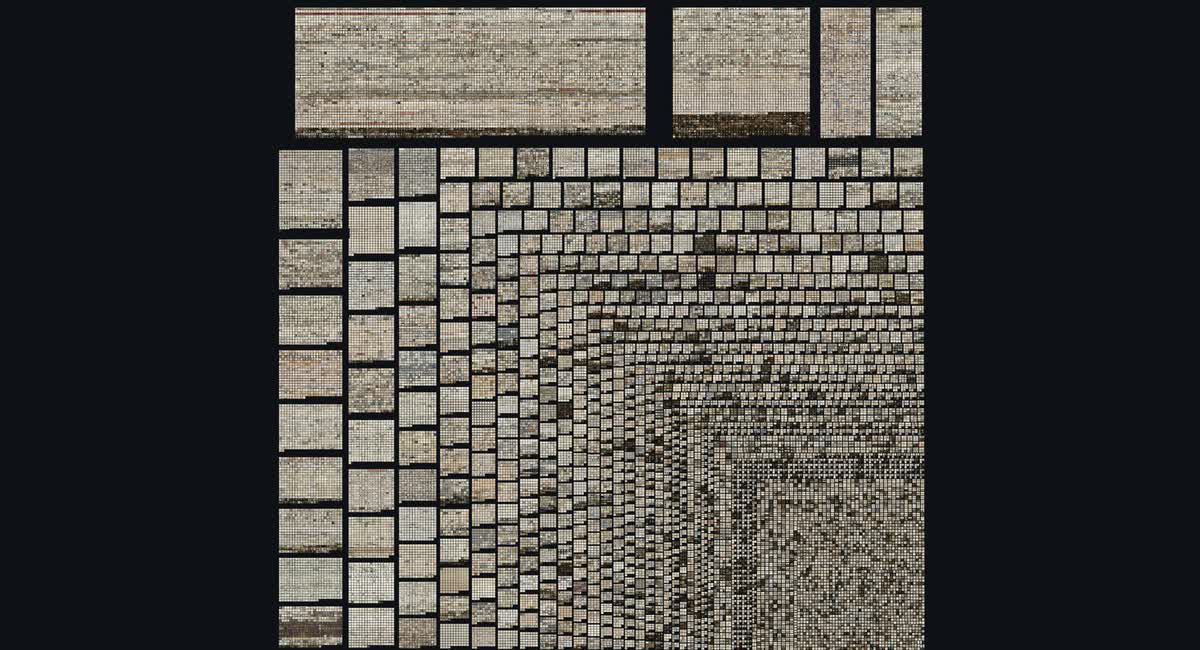
Plotlas turns a folder of images — a museum collection, a research corpus, a photo archive — into a single zoomable landscape. Pan across all of it, arrange it by date or category, filter it, then dive into any one picture at full resolution. In the browser, on a desktop, tablet or phone, up to a million images.

Plotlas showing the Rijksmuseum collection arranged by artist
The Rijksmuseum collection — 49,048 works, arranged by artist. Images: Rijksmuseum, Amsterdam (public domain)
1,000,000+images in one browser view, tested live
203,540images in the Smithsonian demo, the largest live today
49,048works in the Rijksmuseum demo
0calls to anyone else's server

Live demo

Two public collections, open in your browser now.

Both are read-only showcases, built from each museum's own open-access release. Open either one on a laptop, a tablet or a phone.

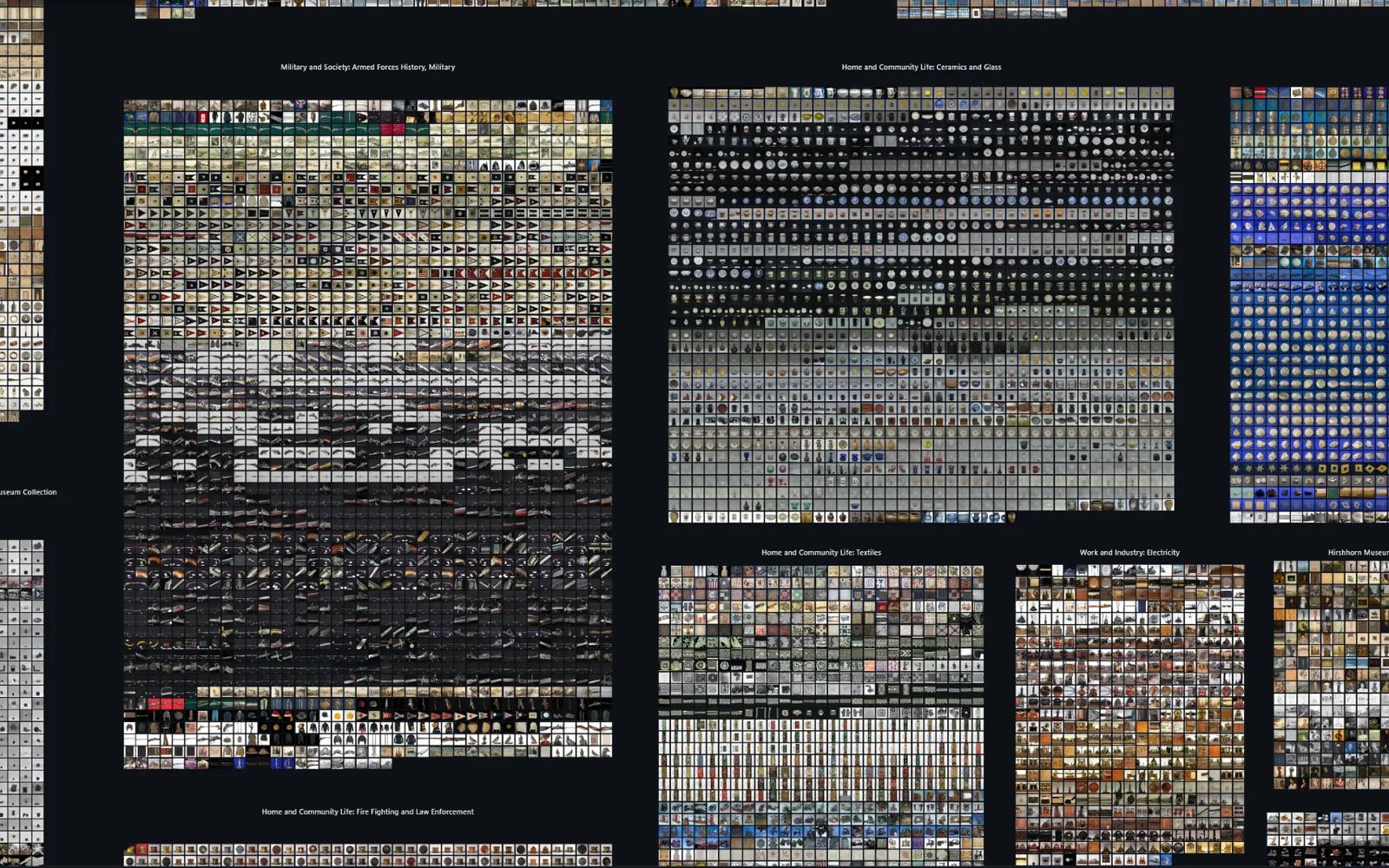
The Smithsonian Art Collection in Plotlas, arranged into labelled blocks by collection: military history, ceramics and glass, textiles, electricity and more.
New 203,540 images · 13 museums and units · CC0

Smithsonian Art Collection

Art and objects from across the Smithsonian: Cooper Hewitt, the National Museum of American History, the National Portrait Gallery, the National Museum of African American History and Culture, and nine more.

Grid By date By collection · 104 By object type By country · 236

171,862 of the images, 84%, link back to their museum's own record page.

Open the Smithsonian collection Images: Smithsonian Open Access (CC0)
The Rijksmuseum collection in Plotlas, arranged by artist
49,048 works · public domain

Rijksmuseum Collection

The collection in the video above. It now opens arranged by artist, with clearer field names.

Open the Rijksmuseum collection Images: Rijksmuseum, Amsterdam (public domain)
1,000,000+

Built for a million. Plotlas already runs collections of more than a million images live, but their licences don't allow a public demo. Know an openly licensed collection that large?

Suggest a collection

What it is

A scrollbar is a terrible way to look at fifty thousand pictures.

Large image collections are usually browsed a page at a time — twenty thumbnails, then twenty more. You can see the pictures, but never the collection: which decades are thin, which categories dominate, where the outliers sit, what the whole thing actually looks like.

Plotlas lays the entire collection out at once as a continuous space you can pan and zoom, like a map. Arrange it by date and the shape of the archive appears. Arrange it by category and each group becomes a labelled block you can read at a glance. Zoom into any single image and it resolves to full detail, with its metadata alongside.

The arrangement always comes from your metadata — a date column, a category column, coordinates you supply. Plotlas never inspects the pixels to decide where a picture goes, so the layout means exactly what your data says and nothing else.

How it works

Prepared once, then streamed like a map.

The reason a million images can move smoothly in a browser is that nothing is computed while you look at it. The work happens up front, once.

01 — BAKE

Images become a tile pyramid

Your folder is processed offline into layers of pre-rendered tiles — a coarse mosaic for the wide view, sharper tiles the further you zoom, full-resolution originals at the bottom. The same idea web maps use.

02 — SERVE

Only what's on screen travels

A small service streams the handful of tiles your current view needs, plus the metadata for images you click. The collection can be far larger than anything that would fit in memory.

03 — EXPLORE

The browser draws it with WebGL

Panning, zooming, filtering and switching between arrangements all happen on the graphics card, locally. No plugin, no desktop install.

Arrangements available today:

Grid — needs no metadata at all By date — a timeline histogram By category — labelled blocks Scatter — any two numeric columns, or coordinates you computed Geographic — latitude / longitude as a map

On your own installation, the layout designer lets you choose which columns drive each arrangement, and change them after the collection is built.

Features

What works now, and what comes next.

The demo is a read-only showcase. On your own installation you can already upload, arrange and manage collections; hosted accounts come next. Items marked NEW arrived in v0.9.0 — read the release notes.

Live today

Exploring a collection

  • Million-image scale in a browser tab, tested live on collections of more than a million images. The largest public demo holds 203,540.
  • Five arrangements — grid, date, category, scatter, geographic map.
  • Any arrangement you can compute — give each image an x and y coordinate and Plotlas lays the collection out that way. Run your images through an embedding model, reduce with UMAP or t-SNE, hand over the result: you get a similarity map, faithful to your coordinates.
  • Search — type an artist, title or category and fly straight to it; searching a category snaps to that whole group.
  • Category labels and a date axis, so a group or a year is readable without clicking anything.
  • Tag filtering — highlight everything matching a tag, dim the rest.
  • Click any image for its full metadata, then zoom to full resolution.
  • NEWSharper deep zoom — stop moving and every image on screen loads at full resolution, not just the nearest dozen.
  • NEWPhones and tablets — pinch to zoom, double-tap, drag to pan, with a phone layout, a menu and an information sheet sized for touch.
  • NEWA viewer that recovers — if the browser's graphics fail, it recovers, or tells you what to do, instead of going blank.

Building and running your own

  • Self-host with Docker, and build a collection from your own images plus an optional metadata file, in the browser or from the command line.
  • Multiple users on one installation, each with their own collections, kept private or made public.
  • NEWLarge uploads — sent in chunks, across several archives if you need, and resumed after an interruption. The size limit comes from your real free disk space.
  • NEWLayout designer — choose which columns drive the arrangements; add, replace or remove arrangements; change the settings of one that is already built; review the changes, then commit them.
  • Layout options you choose — axis scale, map projection, overlap handling — each explained, never guessed from your data.
  • NEWSettings travel with the collection — its name, credit line, column labels and default arrangement live in its own folder, so a copy on another server keeps them.
  • NEWPhoto metadata removed — the images Plotlas serves carry no EXIF: no camera details, no GPS location.
  • NEWA hardened public profile — automatic HTTPS and security headers, read-only collections, only the files the viewer needs, and build logs only the owner can see.
Planned
  • Sharing between users — today a collection is private or public; next is sharing it with the specific people you choose.
  • Subset layouts — arrange a filtered slice of a collection, so one dataset can carry both a curated highlights view and the full set.
  • Computed layouts — we run the embedding model and the dimension reduction for you, so a collection with no useful metadata still gets a similarity map without you building a pipeline first. (You can already do this yourself and hand us the coordinates — see the live column.)
  • A million-image public demo — as soon as there is an openly licensed collection that size worth showing. Suggest one.
  • Richer filtering.

No dates attached — this is the direction, not a schedule. If something here matters to your work, say so and it moves up.

Two ways to run it

Run it yourself, or let us run it.

Self-host

Plotlas is source-available and free for noncommercial use. It runs on one machine with Docker, stores everything on your own disk, and makes no outbound calls — which matters if your collection can't leave the building.

git clone https://github.com/Plotlas/plotlas
cd plotlas
docker compose up --build

Then open localhost:8080. Your collections live in a plain ./data folder — back it up with tar, or move the installation by moving the folder.

Putting it on a public server? docker-compose.public.yml adds automatic HTTPS and security headers, and serves your collections read-only — see Deploying it publicly.

Commercial use needs a separate licence — [email protected].

Ask us to host it

If you'd rather not run infrastructure, we'll bake and host your collection for you and give you a link to share. We're taking on collections now, and we're genuinely interested in what people are trying to look at — feedback shapes what gets built next.

Tell us what you have: [email protected]

Acknowledgement

Standing on PixPlot's shoulders.

Plotlas owes its starting point to PixPlot, the Yale DH Lab's image-collection viewer. If you know PixPlot, you'll recognise the idea immediately; Plotlas takes it toward much larger collections, metadata-driven arrangements, and a hosted option.

Citation details live in CITATION.cff in the repository.